Trenitalia
- 3.4
- Rating
- 10.00M
- Installs
- Free
- Price

 Analysis by App-foxy
When I am planning a train journey in Italy, I usually want one thing first: a clear path from my starting station to the platform, ticket, and final arrival. That is where Trenitalia makes sense. It is a free Maps & Navigation app from Trenitalia S.p.A., designed around the company’s own rail network rather than around every possible transport option in a city.
My experience with it is best described as practical but not effortless. It can be a useful companion when I already know I will travel with Trenitalia, especially when I need to check a connection, find a suitable departure, or keep the booking process in one place. At the same time, I would not treat it as my only travel-planning tool for a complicated trip. The app’s strongest point is the direct relationship with the railway operator; its main weakness is that this same focus can make a broader journey feel incomplete.
From an uncertain journey to a workable train plan
I find it helpful to begin by separating the rail decision from everything around it: this section looks at how I turn an uncertain destination and schedule into a realistic train plan, while keeping station access and onward travel in view. That distinction matters most when a journey includes a tight connection or unfamiliar stops. Next, I consider what happens when the app has to support a busy travel day rather than a quick search at home.
You May Also Like

 Pandora - Music & Podcasts
Pandora’s Music Is Easy to Start, but Harder to Recover
Pandora’s strength is its low-effort path from a seed to a station. Its weak spot is how much confidence it asks you to place in connection, setup, and quiet recovery.

 8 Ball Pool
 Is Built on Rivalries, Rematches, and Routine
A close look at the rivalries, rematches, shared routines, and unanswered safety questions that turn a quick pool match into a persistent mobile community.

 Samsung Music
’s Quiet Strength Is Playing What You Already Own
Its reach comes less from spectacle than from dependable access to a personal library. That simplicity is both the app’s strongest retention engine and its ceiling.

 AccuWeather: Weather Radar
AccuWeather Review: A Quick, Clear Forecast for Everyday Decisions
For everyday plans, the best forecast is the one you can understand quickly. AccuWeather makes rain timing, radar, and local conditions easy to act on, with a few trade-offs.

 Hill Climb Racing
Why Hill Climb Racing Still Turns Crashes Into One More Run
A tiny car, a bumpy hill and one more upgrade: Hill Climb Racing keeps resurfacing because its simple chaos makes every near-miss feel personal.

 AliExpress - Shopping App
AliExpress Makes Global Shopping Feel Personal, but Shoppers Bear the Risk
AliExpress turns a global marketplace into a pocket-sized discovery engine. Its reach is useful, its shopping loop compelling, and its trade-offs easy to miss.
More From Our News Desk
View All News


Starting with the real travel problem
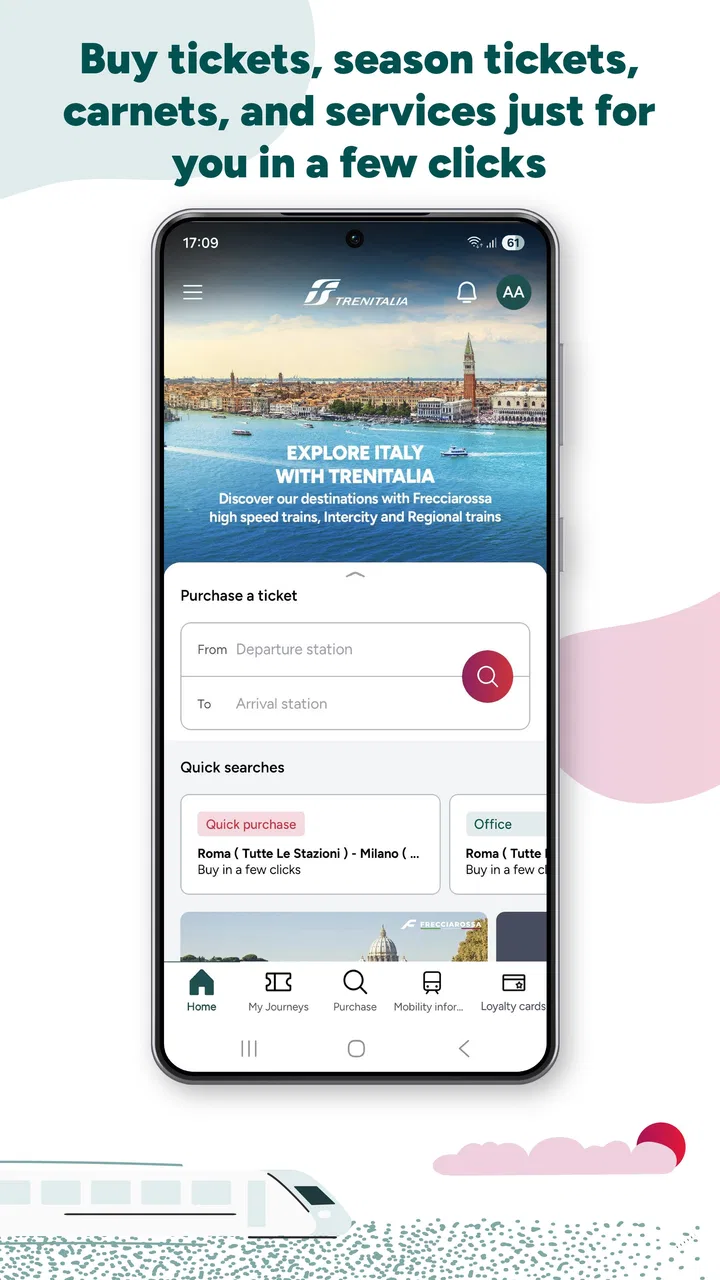
A typical use begins with a simple situation: I know where I want to go, but I do not yet know which train fits my day. I open the app, enter the departure and arrival stations, and work through the available journey choices. This is more useful than browsing a general map when the important question is not merely “how do I get there?” but “which Trenitalia service should I take, and what does that choice mean for the rest of my day?”
The distinction matters for travelers who already understand the Italian rail network. A general navigation app may combine trains, buses, walking, and local services in one broad route. Trenitalia is more focused. That focus can reduce distractions when I am comparing rail departures, but it also means I need to think separately about the walk to the station, the local bus after arrival, or another operator’s service.
I find the app most convincing when the train is the central part of the journey. For a direct trip between familiar stations, the workflow is relatively easy to understand. For a visitor arriving in Italy for the first time, the more important task is often identifying the correct station name and understanding whether the proposed route involves a change. A small spelling mistake or an assumption about a station can send the planning process in the wrong direction, so I take a moment to check the station carefully before moving on.
Searching and comparing departures
Once the route is entered, I look beyond the first result. The earliest departure is not automatically the best one. I compare the travel time, the number of changes, and how comfortable the arrival time is for the rest of my plans. This is one of the app’s practical strengths: it puts the rail choices in front of me instead of making me assemble them manually from separate timetable pages.
My advice is to treat the result as a proposed plan, not as a promise that every part of the day will be simple. A short connection can look attractive on screen but feel stressful in a busy station, particularly if I am carrying luggage or do not know the layout. I prefer a slightly less aggressive itinerary when the difference is small. The app helps me see the options, but the judgment about how much connection risk I can tolerate remains mine.
There is also a useful planning habit here that is easy to overlook: I check the return journey before committing to the outbound one. A morning train may work perfectly while the available return options leave an awkward gap later. Looking at both directions together prevents me from choosing an attractive first leg that creates a poor overall day.
Moving from planning to purchase
The next handoff is the important one: the journey search becomes a booking decision. This is where an operator-specific app has an advantage over a general map. I am not just looking at an abstract route; I am working inside the environment of the railway company that will provide the service. For a traveler who wants to keep the search and purchase process close together, that can feel more direct than switching between a map, a browser, and a separate ticket service.
I still read the selected journey carefully before confirming anything. I check the departure station, destination, date, time, and any changes. If I am traveling with someone else, I also make sure the selected option suits the group rather than assuming the fastest result is automatically the most convenient. This double-check is especially important because a mistake at the booking stage can be much more troublesome than a mistake during casual route browsing.
The app is free to download and is suitable for an Everyone-rated audience, so it is approachable for families and occasional travelers. Free access is helpful, but it should not be confused with every journey being free; the app is a tool for arranging rail travel, not a substitute for the ticket itself. I see that distinction as obvious, yet it is worth keeping in mind when planning a budget.
Keeping the journey organized after the decision
After I have chosen a service, the app’s value shifts. I am no longer comparing possibilities; I am trying to keep the selected trip straight. This is the point where I want to avoid reopening several unrelated pages just to remember the departure details. An operator app can be more convenient here because the information is connected to the booking context rather than floating in a general map.
My preferred routine is to review the itinerary before leaving home, then check it again close to departure. I do not rely on memory for the platform, station, or connection details. I also keep a backup habit: I save the essential journey information in a form I can find quickly, because a phone with a low battery, poor reception, or a crowded station is not the moment to discover that I have forgotten the details.
This is one of the less obvious trade-offs. The app can centralize the journey, but centralization can encourage overconfidence. I still want the destination station, departure time, and ticket information available in a way that does not depend entirely on navigating through screens at the last minute. The app supports my preparation; it does not replace it.
The handoffs between the app, the station, and the rest of the trip
A train journey is not completed inside the app. There are several handoffs: from the search screen to the booking decision, from the phone to the station signage, from the train to a connecting service, and finally from the arrival station to the actual destination. Trenitalia is strongest in the first two handoffs, where the rail service itself is the main subject.
At the station, I use the app as one source of orientation, but I also look at the physical boards and listen for announcements. That is not a criticism unique to this product; real railway operations can change after a journey has been planned. The sensible approach is to let the app prepare me, then let the station provide the final local confirmation.
The same applies to connections outside the rail network. If I am heading to a hotel, airport terminal, conference venue, or rural address, the app may cover the train portion without giving me the complete door-to-door picture I would get from a broad navigation service. In that situation, I use Trenitalia for the operator-specific rail decision and another map for walking and local transport. This two-tool workflow is often better than asking either app to do everything.
For a visitor with luggage, I would add another step: check the walking distance and station layout separately before choosing a tight connection. A route that looks efficient in timetable terms may be tiring in practice. This is a concrete example of where human planning still improves the app’s output.
A realistic everyday scenario
Imagine I am staying in one city and have a morning appointment in another. The night before, I search the route, compare several departures, and choose one that leaves enough time for the walk to the station. I then inspect the return options rather than postponing that decision. In the morning, I review the selected trip before leaving, use the station boards to confirm the live departure information, and keep the app available for the rail details.
If the appointment finishes later than expected, the return journey becomes the real test. I need to see whether another suitable service is available and whether changing the plan affects the rest of my evening. The app is useful because it keeps the problem centered on Trenitalia’s services. However, if I also need a city bus, a taxi, or a long walk after arrival, I switch to a general navigation tool for that final section.
This scenario shows why I would recommend it to a friend who already knows the train operator they intend to use. It reduces the effort of organizing the rail leg. I would not recommend using it alone for a journey where the train is only one small piece of a complicated, multi-operator itinerary.
How it compares with general navigation and booking alternatives
Compared with a general maps app, Trenitalia has a narrower but more relevant perspective when my trip depends on Trenitalia. A map is usually better for door-to-door routing, walking directions, local buses, and mixing different transport types. Trenitalia is better when I want to concentrate on the railway company’s own journey choices and avoid a map’s broader results becoming the main focus.
Compared with a browser-based booking process, the app can feel more natural for repeat travelers who prefer a dedicated place to search and manage rail plans. A browser may still be preferable when I am working on a large screen, comparing information across several tabs, or sharing the planning task with another person. The app is more personal and immediate; the browser can be more flexible for research.
Compared with third-party train aggregators, the operator app has the benefit of being tied directly to Trenitalia’s own services. An aggregator may be more useful when I am comparing multiple rail companies or building an international itinerary. That broader coverage is valuable, but it can also make the choice less focused. I choose between them based on the question I am trying to answer: “What is the best overall route?” calls for a wider tool, while “Which Trenitalia journey should I take?” is where this app earns its place.
What the current app experience suggests
The application has been available since May 17, 2018, and the current version is 13.300.0. That long presence suggests a product intended for ongoing travel use rather than a one-off experiment. In the store, it has passed ten million installs and holds an average rating of 3.4 from around seventy-three thousand ratings. Those figures tell me that it has a substantial audience, while the middling average also encourages realistic expectations: it is useful, but not universally loved.
I interpret that rating carefully. Travel apps are judged under pressure, often when a user is late, confused, or dealing with a disrupted plan. A small point of friction can feel much larger in a station than it would at home. My own recommendation is therefore conditional rather than absolute: install it if Trenitalia is part of your travel plans, but learn the basic workflow before the day of the journey.
The minimum operating-system requirement is Android 7.0 or later, which makes the app accessible to many older Android phones. That does not guarantee that every device will feel equally quick or comfortable, but it does lower the barrier for users who are not carrying a recent phone. Since the app is listed as free, trying it before a trip is an easy way to decide whether its interface suits you.
Where the workflow breaks down
The first weak point is scope. If I need a complete door-to-door itinerary involving several transport operators, I may spend more time switching between tools than I would with a broad navigation app. The Trenitalia focus is a strength for rail planning, but it becomes a limitation when my journey does not begin or end at a station.
The second weak point is the gap between a planned timetable and the physical reality of travel. The app can help me select a service, but I still need to interpret station information, allow for walking time, and respond to changes. I would be uncomfortable treating any journey-planning app as the sole authority during a fast-moving disruption. Checking the station’s own announcements and displays remains part of responsible travel planning.
The third issue is decision pressure. A list of departures can make the fastest option look like the obvious winner, even when a longer connection would be safer. New travelers may need to spend extra time understanding the route rather than accepting the first convenient-looking result. My tip is to compare at least one alternative and ask whether the connection would still feel manageable with luggage, a child, or an unfamiliar station.
I would also skip this app as my primary solution if I rarely use Trenitalia and only need a broad map for walking or local transport. Installing a dedicated operator app may add little value for a short city visit where the train is incidental. In that case, a general navigation service may be simpler. The dedicated app becomes more worthwhile when the rail journey is important enough that operator-specific information deserves its own place.
Who should install it
I would recommend it to regular Trenitalia passengers, visitors planning intercity rail travel, commuters who want a dedicated rail-planning workflow, and anyone who prefers checking train options through the operator rather than through a general map. It is also a sensible companion for travelers who want to compare outbound and return journeys before making a plan.
I would be more cautious for users who expect one app to handle every part of a trip, including local buses, walking navigation, multiple rail operators, and complex international connections. Those travelers should pair it with a broader planning tool or choose one of those broader tools as their main organizer. The right choice depends less on how many features an app appears to have and more on whether its coverage matches the journey.
My final assessment after following the complete workflow
From the first station search to the final handoff at the destination, Trenitalia provides a focused way to organize the rail portion of a trip. I appreciate that it keeps the operator’s services at the center, and I find that especially helpful when I already know which railway I want to use. The free price and Everyone content rating also make it easy to try before committing to a journey.
My recommendation comes with a clear boundary: use it as a dedicated Trenitalia companion, not as a universal travel planner. Check the route carefully, compare more than the fastest departure, review the return leg, and use station information for the final confirmation. With those habits, the app can turn an uncertain train plan into a workable travel routine.
My verdict: Trenitalia is worth installing when your trip depends on Trenitalia trains and you want a focused operator-specific workflow. It is less convincing as a standalone solution for mixed transport or door-to-door navigation, where a broader alternative will usually complete the journey more gracefully.
FAQs for Trenitalia
01What features does the Trenitalia app offer?
The Trenitalia app provides users with a comprehensive travel experience. It includes features such as real-time train schedules, ticket purchasing options, seat reservations, and personalized travel itineraries. Users can also access train status updates, special offers, and loyalty program information. The app is designed to simplify travel planning and enhance user convenience.
02Is the Trenitalia app available for both Android and iOS devices?
Yes, the Trenitalia app is available for both Android and iOS platforms. Users can easily download it from the Google Play Store or the Apple App Store. The app is optimized for mobile devices, ensuring a seamless user experience regardless of the operating system used.
03How user-friendly is the Trenitalia app for first-time users?
The Trenitalia app is designed with an intuitive interface that caters to both experienced and first-time users. It features a straightforward navigation system, clear instructions, and a user-friendly design. Helpful tips and tutorials are available to guide new users through the app's functionalities, making it easy to get started.
04Can I use the Trenitalia app to manage my bookings and tickets?
Absolutely. The Trenitalia app allows users to manage their bookings and tickets with ease. Users can view, modify, or cancel their reservations directly through the app. It also provides the option to store digital tickets and boarding passes, which can be accessed even when offline, ensuring maximum convenience during travel.
05Are there any security measures in place for transactions within the Trenitalia app?
Yes, the Trenitalia app incorporates robust security measures to protect user data and transactions. It employs encryption technology to secure payment information and personal details. The app also supports secure login options, such as biometric authentication, to enhance user security and ensure a safe and reliable transaction process.
Pros
- User-friendly interface makes booking easy.
- Real-time train updates enhance travel planning.
- Wide range of routes covers major destinations.
- Loyalty program offers discounts and rewards.
- Multilingual support caters to diverse users.
Cons
- App occasionally crashes during peak hours.
- Seat selection feature can be glitchy.
- Limited offline functionality available.
- Customer service response can be slow.
- Frequent updates required for optimal use.

Trenitalia
Gallery